


On this page
- Before you start: two rules for every method
- 1. How does a piping gel transfer work?
- 2. How do you make a frozen buttercream transfer?
- 3. Acetate wrap for the sides
- 4. Paper template and pin
- 5. Cake tracing with your phone camera
- Questions people ask
- Where Camera Tracing helps, and where it does not
- Sources
Before you start: two rules for every method
- Think about mirror images. Several methods flip your design. Wilton’s buttercream transfer guide says to print the picture reversed, or trace it from the back, so it ends up the right way round. This matters most for lettering.
- Work on a settled surface. Most guides start from an iced cake left to crust (Cakefourfun) or a chilled crumb coat (British Girl Bakes), not soft, freshly spread frosting.

1. How does a piping gel transfer work?
Wilton’s classic method for buttercream cakes:
- Tape your pattern to a flat surface and lay parchment paper over it.
- Trace the lines onto the parchment with piping gel, using a very fine tip (Wilton suggests tip 1).
- Turn the parchment over, gel side down, onto the iced cake where you want the design.
- Press very gently over every line with a soft brush, then lift the paper away.

In Wilton’s Creativebug lesson, the instructor uses coloured gel only so viewers can see it and recommends clear gel at home, because it is easier to cover. She traces the pattern in pencil on one side of the parchment, then turns it over and pipes a very thin line of gel on the other side.
Good for
outlines you will pipe over, character cakes, simple pictures.
Struggles with
very intricate designs, which Cakefourfun calls difficult with this method.
2. How do you make a frozen buttercream transfer?
Here you build the whole design upside down on paper, freeze it, then flip it onto the cake. From Wilton’s guide:
- Reverse your design, tape it to a cake board or baking sheet, and tape waxed paper over it.
- Outline in a dark buttercream (Wilton suggests tip 2 or 3), then freeze for about 10 minutes.
- Fill in the colours, then cover the back with a layer of icing in your cake colour.
- Freeze until firm. Wilton says this can take anywhere from 90 minutes to 24 hours.
- Place it paper side up on the iced cake and peel the paper off.
Wilton recommends a buttercream made with half butter and half shortening, as all shortening will not freeze hard enough.
Good for
bold, colourful pictures and logos with clean edges.
Struggles with
warm kitchens, and it takes time and freezer space.
3. Acetate wrap for the sides
British Girl Bakes uses a sheet of acetate to put a design around the side of a cake:
- Cut acetate to go round the cake with a little overlap, and chill your crumb coated cake.
- Tape the acetate over the design and pipe the design onto it, spreading each colour level with an offset spatula.
- Chill briefly (about 5 minutes in the freezer), then spread the background colour over the whole sheet.
- Wrap it round the cake, press it smooth, and chill for at least an hour before peeling the acetate away.
Good for
side designs, which most other methods find awkward.
Struggles with
fine lettering, and it is fiddly the first time.
4. Paper template and pin
Cakefourfun calls this the easiest method: trace your design onto parchment or waxed paper, cut it out, hold it on a crusted cake, and trace or prick round the outline with a pin or cocktail stick. For more detail, the same guide describes pouncing: prick holes along every line, lay the paper on the cake and brush cocoa powder (or icing sugar on a dark cake) through the holes.
Good for
simple shapes and quick jobs.
Struggles with
detail, if you only pin the outline. Cakefourfun says pin outlining suits only very simple designs; pouncing handles intricate ones but is tedious.
5. Cake tracing with your phone camera
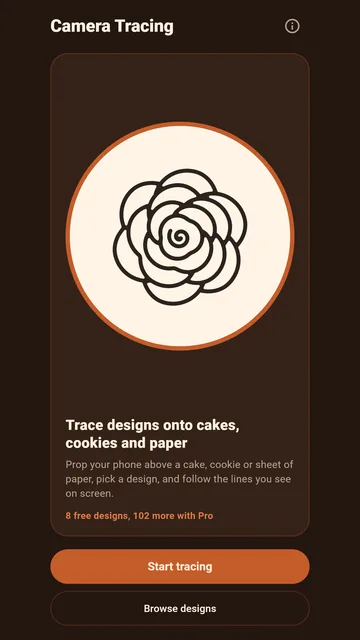
A newer option is to trace from your phone screen. You set the phone above the cake on a stand, see the cake through the camera, and lay a faint copy of the design over the live picture. Then you pipe while watching the screen, following the lines where they appear on the cake.

Good for
quick layouts with no gel, paper or freezer time, and trying a design at different sizes before you commit.
Struggles with
it takes practice to pipe while looking at a screen rather than your hands, and it works best looking straight down at a flat top.
Questions people ask
Do I need to reverse my design?
For buttercream transfers, yes: Wilton says to print it mirrored or trace it from the back, especially for lettering.
What is the best way to put a design on the side of a cake?
The acetate wrap above is built for it. British Girl Bakes pipes onto acetate, wraps it round a chilled cake and peels it off after at least an hour in the fridge.
How long does a buttercream transfer take to freeze?
Wilton says anywhere from 90 minutes to 24 hours, depending on the design.
Where Camera Tracing helps, and where it does not
Camera Tracing: Craft & Cake is our app for the camera method. It puts a line art template over your live camera view so you can pipe, paint or trace right where it shows. You can change the opacity, size and position of the lines, mirror them, and freeze the frame if the stand wobbles. It comes with 8 free starter designs, and a one-time Pro unlock adds 102 more designs, lets you trace your own photo or sketch, locks the overlay in place and adds white, red and blue lines for dark icing. It works offline, needs no account, and the camera view stays on your phone.
The app’s own setup tips suggest turning the opacity up until the lines are crisp, lighting white icing from the side with a warm kitchen light, and pointing the camera straight down so the design is not stretched.
What it will not do: Camera Tracing is a guide on your screen. It does not project light onto the cake, and it does not design or colour the cake for you. For side designs, the acetate method is usually easier; for a finished picture with lots of colour, a frozen buttercream transfer gives cleaner edges. For a wedding cake or a paid order, there is no substitute for practice, or for a professional decorator.
Questions or bugs: Email us.
Sources
- Transferring PatternsWilton wilton.com
- How to Make a Buttercream TransferWilton wilton.com
- Gel Transfer Cakes (transcript)Wilton via Creativebug api-us.creativebug.com
- How To Transfer Any Design Onto A CakeBritish Girl Bakes britishgirlbakes.com
- Ten Ways to Transfer Images to CakesCakefourfun cakefourfun.blogspot.com